
Tempo Converter
Turn a musical tempo into Hertz, seconds, milliseconds and timecode for effects, chasers, cue timings and timecode work.
What it does
Section titled “What it does”- Turns BPM into Hertz and seconds
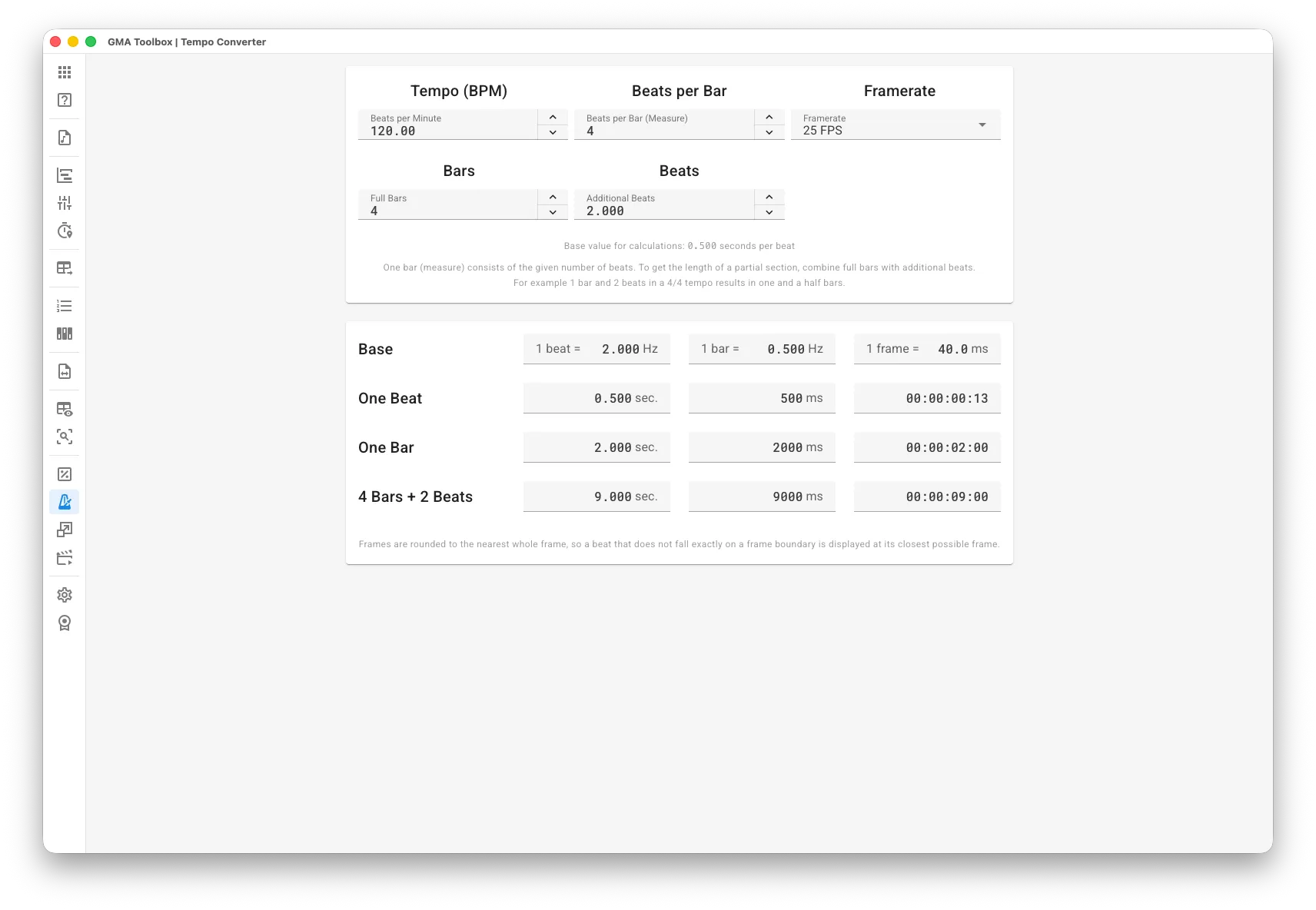
Enter the tempo and the beats per bar, and read the beat and bar frequency in Hertz, plus the length of one beat and one bar in seconds and milliseconds. Use the frequencies as effect or chaser speed, and the beat and bar lengths as cue fade times, delays and offsets. - Measures whole sections of a track
Combine full bars with extra beats to get the exact length of any part of the track. Every result also appears as timecode (hh:mm:ss:ff) at your framerate, so timecode sections stay with the music.
How to use it
Section titled “How to use it”- Set the tempo:
- Enter the Beats per Minute and the Beats per Bar (Measure) of your track.
- Choose the Framerate for the timecode results.
- Set the length:
- Enter the Full Bars and, if you need them, the Additional Beats of the section you want to measure.
- Read the results:
- Everything updates as you type. Nothing to confirm.
How the calculation works
Section titled “How the calculation works”Everything starts from the length of one beat in seconds: 60 / BPM. Bar length, both frequencies and section lengths all come from that number.
One bar holds the number of beats you entered. To measure part of a bar, add extra beats to the full bars. In a 4/4 tempo, 1 bar and 2 beats is one and a half bars.
Frames are rounded to the nearest whole frame, so a beat that falls between two frames is shown on the closest one.
The screen explained
Section titled “The screen explained”Tempo and length
Section titled “Tempo and length”- Beats per Minute: the tempo of the track. 1–999 BPM, two decimals.
- Beats per Bar (Measure): how many beats make one bar. 1–128. Use “4” for a 4/4 tempo.
- Framerate: the framerate for every timecode result. 24, 25 or 30 FPS.
- Full Bars: the number of whole bars in the section you want to measure.
- Additional Beats: extra beats on top of the full bars. Three decimals for part of a beat.
Every result updates while you type.
Results
Section titled “Results”- Base: the beat frequency (
1 beat =Hz), the bar frequency (1 bar =Hz) and the length of one frame (1 frame =ms) at your framerate. - One Beat: the length of one beat in seconds, milliseconds and timecode.
- One Bar: the length of one bar in seconds, milliseconds and timecode.
- Bars + Beats: the length of your section — full bars plus extra beats — in seconds, milliseconds and timecode. The row label follows your input, for example “1 Bar + 2 Beats”.