
Layer Patch Macro
Export the fixture layers of a showfile and build macros that patch those fixture IDs to their DMX addresses.
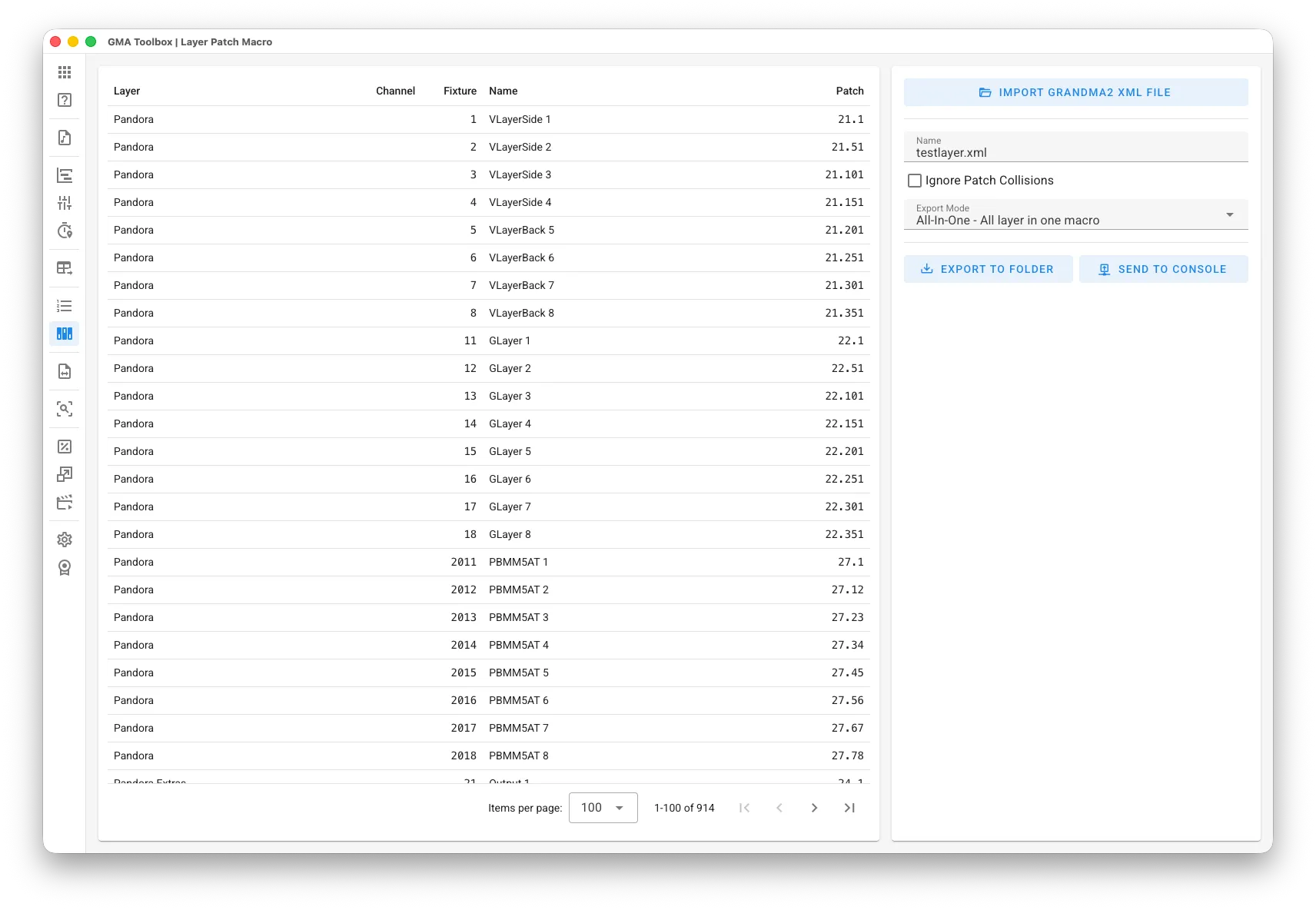
What it does
Section titled “What it does”- Builds patch macros from exported layers
The macros patch every fixture to the DMX address it had in the source showfile, so nobody has to type addresses by hand. - Works inside a showfile that already exists
Patch only the fixtures you need instead of reading in a whole showfile. That makes it quick to update or change a running show.
How to use it
Section titled “How to use it”- Get the fixture patch into the tool:
- Straight from the console: click Import from grandMA2/3 Console, then set the console
mode, the IP address, the pool type (Patch) and the IDs you want — for
example
1 + 5 Thru 8. The tool runs the export on the console and loads the result, so no USB drive is involved. The console needs its remote interface switched on first — see Console Connection. - From a file instead: select a USB drive, go to Setup > Patch & Fixture Schedule, select the fixture layers you want and export them in XML Only format. Import XML File reads that file.
You can also drag the .xml file straight onto the window.
- Straight from the console: click Import from grandMA2/3 Console, then set the console
mode, the IP address, the pool type (Patch) and the IDs you want — for
example
- Set the export options:
- Give the macros a name.
- Choose the export mode:
All-In-One puts every layer in one macro.
Per Layer makes one macro per layer.
- Export the macros:
- Manual import: save the macros to a grandMA2 or grandMA3 folder, then import them on the console.
- Direct import: send the macros straight to the console. The console asks you to pick the first macro ID. Needs the console's remote interface — see Console Connection.
The screen explained
Section titled “The screen explained”Export
Section titled “Export”- Name: the macro name.
- Ignore Patch Collisions (MA2 only): assigns the DMX address even when something else already uses it. grandMA3 does this anyway.
- Export Mode:
All-In-One puts every layer in one macro.
Per Layer makes one macro per layer.
Table columns
Section titled “Table columns”- Layer: the layer the fixture came from.
- Channel: the channel ID.
- Fixture: the fixture ID.
- Name: the fixture name.
- Patch: the DMX address the fixture gets.